

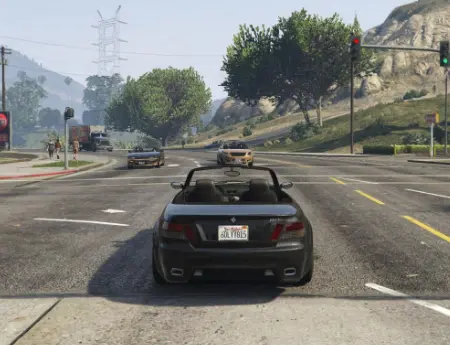


Similiar games
GTA 3 Browser
GTA Vice City Browser
GTA 5 Browser
Quenq GTA VC
Call of Duty: Zombies (Demake)
GTA San Andreas Browser

Dude Theft Auto
GTA 6 Browser
GTA 4 Browser
Quenq GTA SA
About Game
V2 GTA 5 is an unofficial browser project based on Grand Theft Auto V, featuring a launcher with Story Mode and Sandbox Mode. The game focuses on exploring Los Santos, driving vehicles, and interacting with an open-world environment. Players can select a session type, adjust graphics settings, and use available gameplay tools. Unlike the original game, this browser adaptation is an independent project, so not every mission or feature is guaranteed to work. The main attraction is the ability to experience GTA-style gameplay through a browser interface.
Top Games
V2 GTA 5 is an unofficial browser project based on Grand Theft Auto V, featuring a launcher with Story Mode and Sandbox Mode. The game focuses on exploring Los Santos, driving vehicles, and interacting with an open-world environment. Players can select a session type, adjust graphics settings, and use available gameplay tools. Unlike the original game, this browser adaptation is an independent project, so not every mission or feature is guaranteed to work. The main attraction is the ability to experience GTA-style gameplay through a browser interface.
Story and Open-World Exploration
The original GTA V storyline follows Michael De Santa, Franklin Clinton, and Trevor Philips, three criminals whose activities become connected through robberies and conflicts with criminal organizations. The setting includes Los Santos and Blaine County, with city streets, highways, residential neighborhoods, and rural areas. V2 GTA 5 provides a Story Mode option for continuing saved progress, although the availability of the complete original campaign has not been verified. Sandbox Mode offers a separate experience focused on free exploration without following a fixed sequence of story objectives.
Gameplay and Available Features
The browser launcher allows players to choose between story-based gameplay and free roaming. It also includes settings for graphics, controls, saved profiles, and compatible modifications. Depending on the current build, players may be able to explore different environments, use vehicles, and interact with available gameplay systems. Progress is managed through local saves, with separate records for Story Mode and Sandbox Mode.
The main available features include:
· Selecting Story Mode or Sandbox Mode.
· Exploring available open-world locations.
· Driving vehicles and experimenting with movement.
· Adjusting graphics and performance settings.
· Managing separate local save profiles.
· Importing compatible modifications and vehicle presets.
The launcher also includes tools for customizing certain gameplay elements. A trainer can provide additional options for spawning vehicles, changing character appearances, and adjusting the environment. Some features require enabling specific settings before starting a session. Multiplayer options are mentioned in the project interface, but their availability and reliability may vary between versions.
Controls and How to Play
Players begin by selecting a mode in the launcher and starting a session. Common GTA controls include WASD for movement, the mouse for camera control, Shift for sprinting, Space for jumping, and F for entering vehicles, although exact key assignments may differ. The main objective depends on the selected mode: Story Mode is intended for mission progression, while Sandbox Mode emphasizes exploration and experimentation. Players should check the available controls and save options before beginning.
